25 Creative Ways to Use Fancy Text Online
There’s a quiet contradiction in how people show up online. Everyone wants their name, bio, or caption to feel less ordinary, but almost no one wants to spend real effort getting there. The goal isn’t to design something impressive—it’s just to avoid looking forgettable. They just want something small that breaks the monotony of plain text without turning their profile into a project.
That’s why fancy text keeps showing up in random places. Not because it’s clever or advanced, but because it’s easy. Sometimes it quietly improves how something looks. Other times it crosses the line and makes things awkward to read. The difference usually isn’t the text itself—it’s the restraint behind it. What follows isn’t about making things “fancier,” but about using it in ways that don’t feel forced or annoying.
Best Ways to Use Fancy Text by Platform
| Platform | Best Use Case | Style Level | Caution |
|---|---|---|---|
| Bio headlines & highlight titles | Low | Avoid using fancy text in long bios | |
| TikTok | Opening caption words | Medium | Too much can reduce readability |
| YouTube | Channel section headers | Low | Don’t stylize entire titles |
| Discord | Usernames & channel notes | Medium | Some symbols may not display everywhere |
| Divider symbols or minimal emphasis | Very Low | Overuse can hurt credibility | |
| Gaming Platforms | Unique usernames | High | Check platform font compatibility |
Quick Takeaways Before You Use Fancy Text
- Fancy text works best when used for emphasis, not full paragraphs.
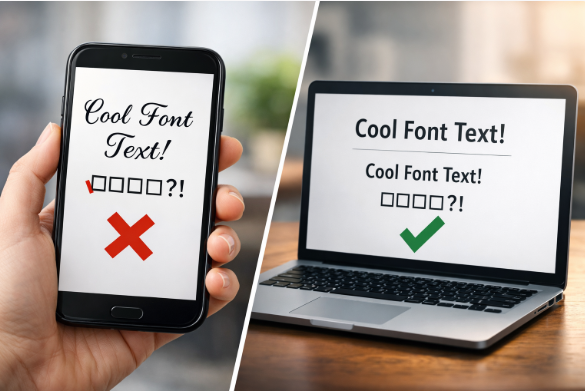
- Always test fancy text on mobile devices before publishing.
- One consistent style looks better than mixing multiple styles.
- Subtle fancy text performs better on professional platforms.
- Temporary content is safer for experimenting with decorative text.
What Is Fancy Text?
Everyone eventually notices those stylish letters in bios or usernames and starts wondering where they come from. They look fancy, but there’s nothing hidden or premium about them. Nothing special is happening in the background. The text just looks different because the characters themselves are different.
People don’t really “set up” fancy text. They mess around with a tool, find a version that looks good, copy it, and paste it wherever they want. That’s why the same text style shows up on Instagram, in games, or inside chats. It’s not smarter than regular text — it just looks cooler.
How to Generate Fancy Text
- Type your normal text into a fancy text generator
- Browse different styles (bold, cursive, symbols, bubbles, etc.)
- Copy the version you like
- Paste it where you want to use it
That’s it. The real value comes from how you use it—not just generating it.
25 Creative Ways to Use Fancy Text Online
1. Make Your Social Media Bio Stand Out
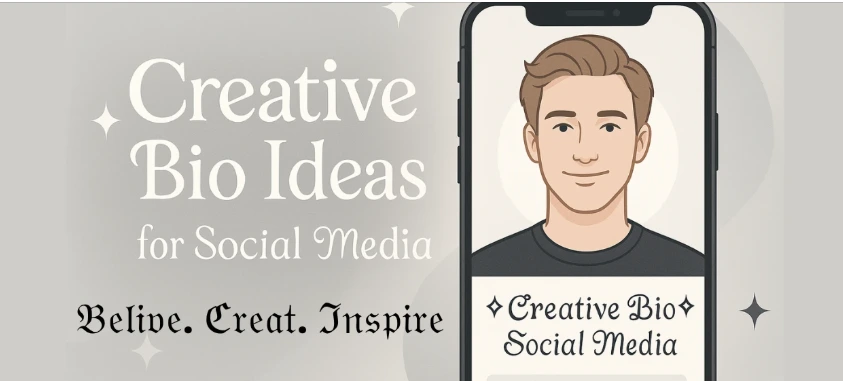
A small amount of fancy text in your bio headline can instantly draw the eye.
2. Highlight Keywords in Instagram Bios
Use fancy text for one keyword like “Creator” or “Shop Owner” instead of the whole bio (Instagram).
3. Catchy TikTok Captions
Fancy text works well for the first few words of a caption to stop scrolling (TikTok).
4. YouTube Channel Descriptions
Stylize section headers like “About This Channel” or “Uploads Every Week” (YouTube).
5. YouTube Video Titles (Light Use)
One fancy word can help—too much hurts readability.
6. Discord Usernames
Great for standing out in busy servers, you may use a discord font generator.
7. Discord Channel Descriptions
Use simple fancy text for rules or announcements.
8. Gaming Profile Names
Helpful when your regular username is already taken (Steam).
9. Twitch Stream Titles
Stylish text can make stream titles feel more branded (Twitch).
10. Email Signature Headers
Add flair to your name—not the whole message.
11. Blog Post Subheadings
Fancy text can visually separate sections when used sparingly.
12. Website Banner Headlines
Works well for hero sections or short taglines.
13. Pinterest Board Titles
Helps boards look more curated and aesthetic (Pinterest).
14. Forum Signatures
A stylish username or tagline adds personality without clutter.
15. LinkedIn Headlines (Very Minimal)
Only use subtle styles for dividers or emphasis (LinkedIn).
16. Digital Invitations
Perfect for online birthday or event invites.
17. Presentation Slide Titles
Fancy text can work for title slides—not body text.
18. Giveaway Announcements
Stylish text helps “GIVEAWAY” or “WIN” stand out.
19. Fundraiser Headlines
Emotion-driven headlines benefit from visual emphasis.
20. Custom Hashtags
Fancy text can make branded hashtags more unique.
21. Online Store Banners
Use it for short promo words like “SALE” or “NEW”.
22. QR Code Labels
Stylish labels make QR codes look less generic.
23. Fan Art or ASCII Designs
Fancy text pairs well with creative text art.
24. Chat Status Messages
Perfect for away messages or short mood updates.
25. Temporary Stories & Highlights
Fancy text works best for content that isn’t permanent.
Tips for Choosing the Right Fancy Text Style
- Pick readable styles over decorative ones
- Test on mobile before publishing
- Use fancy text for emphasis, not paragraphs
- Stick to one style per section
Do’s and Don’ts of Using Fancy Text
Do
- Use it to highlight important words
- Keep it short
- Test across platforms
Don’t
- Use it in long paragraphs
- Mix too many styles
- Replace all normal text
Accessibility matters—some screen readers struggle with heavy Unicode text.
Common Mistakes to Avoid When Using Fancy Text
- Using fancy text for entire paragraphs or long descriptions.
- Mixing multiple fancy styles in one sentence.
- Ignoring accessibility and screen reader issues.
- Using decorative text in serious or formal communication.
Fancy text works best when it barely feels like a choice at all. It’s less about decoration and more about interruption—one small visual pause that makes someone look twice. The moment it starts trying too hard, it loses its effect. A single styled word can feel intentional; a whole block of it feels like noise. The impact comes from knowing when to stop.