The Difference Between Fonts, Typefaces, and Unicode Styles
I used to think “font” was the right word for everything. Then I noticed designers correcting people in comments, tools labeling things differently, and “Unicode fonts” behaving nothing like fonts at all. After a while, it became obvious that the problem isn’t the terminology—it’s that these ideas are usually explained in isolation, not together.
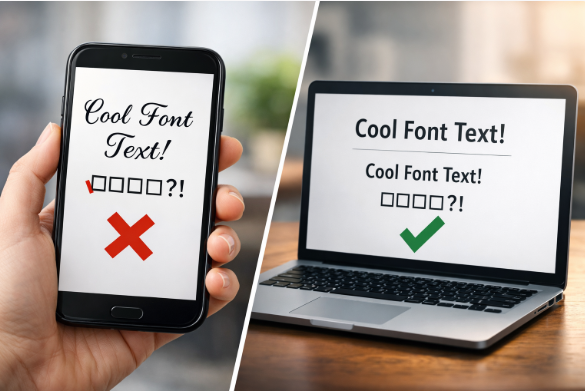
This confusion matters more than people think. Using the wrong term can make you sound inexperienced, choosing the wrong solution can break accessibility, and mistaking Unicode styles for fonts can cause real problems with SEO, copy-paste, and readability. Once you understand how these three concepts are different—and how they relate—you’ll never look at “fancy text” the same way again.
What Is a Typeface?
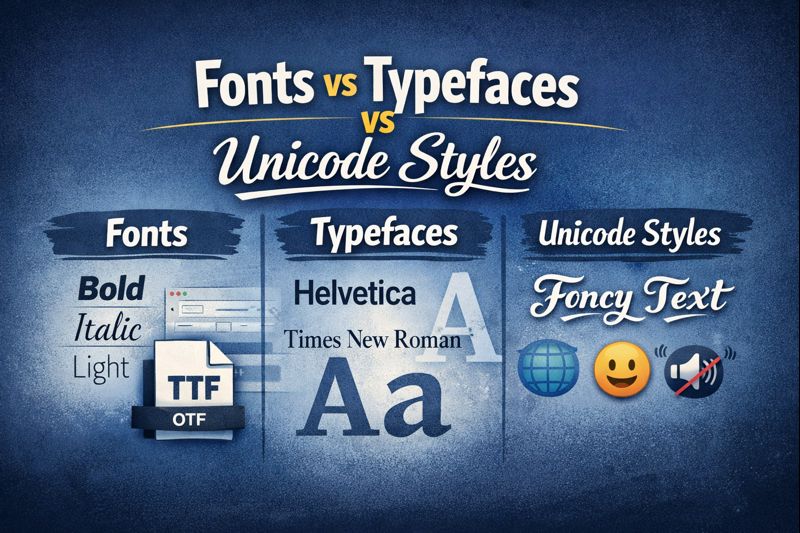
A typeface is the part you recognize instantly. You don’t have to think about size or weight to know when you’re looking at Times New Roman or Helvetica—you just know. When people say “font” in everyday conversation, this is usually what they’re pointing to.
Think of a typeface as a family. It defines the shape of the characters, how thick or thin strokes are, how curves look, and how formal or casual the text feels. The typeface itself doesn’t describe size, weight, or style—it just defines the design.
What Is a Font?
A font is a specific version of a typeface. It’s the practical, usable file that tells your computer exactly how the typeface should appear in a certain style.
For example, if a typeface is a family, fonts are the individual family members:
- Regular
- Bold
- Italic
- Bold Italic
Each of those is a font. Historically, fonts were physical metal sets. Today, they’re digital files, but the idea is the same: a font is a specific implementation of a typeface.
Typeface vs Font (The Simple Way to Remember)
If there’s one mental model that clears up most confusion, it’s this:
- Typeface = design
- Font = file
You choose a typeface for its look.
You install or use a font to apply that look in a specific way.

| Aspect | Typeface | Font | Unicode Styles |
|---|---|---|---|
| What it is | The visual design of characters | A specific file or variation of a typeface | Alternative characters with styled appearance |
| Controls appearance? | Yes (overall look) | Yes (weight, style) | Only imitates appearance |
| Changes the character itself? | No | No | Yes |
| SEO-friendly | Yes | Yes | No |
| Accessible for screen readers | Yes | Yes | Often problematic |
| Example | Helvetica | Helvetica Bold Italic | 𝓕𝓪𝓷𝓬𝔂 𝓣𝓮𝔁𝓽 |
What Is Unicode?
Unicode has nothing to do with styling. It doesn’t care about fonts, weight, or appearance. All it does is assign numbers to characters so the same letter or symbol means the same thing across different devices and platforms.
For example:
- The letter “A” has a Unicode value.
- The emoji 😊 has a Unicode value.
- Mathematical symbols, arrows, and scripts all have Unicode values.
Unicode answers the question:
“What character is this?”
—not how it should look.
What Are Unicode Styles?
Unicode styles are not fonts and not typefaces. They are alternative characters that look styled but are actually different characters underneath.
For example:
- 𝐁𝐨𝐥𝐝 text made with Unicode is not bold formatting
- 𝓢𝓬𝓻𝓲𝓹𝓽 text is not a script font
- 𝕱𝖆𝖓𝖈𝖞 letters are separate Unicode characters
These characters exist mainly for mathematical notation, symbolic writing, or niche use cases—but online tools often misuse them to imitate typography.
How Unicode Works With Fonts and Typefaces
Here’s the key relationship most articles never explain clearly:
- Unicode defines the character
- Fonts decide how that character looks
A font maps visual shapes (glyphs) to Unicode code points. That’s why the same letter can look different across fonts, yet still be the same character underneath.
Unicode styles break this idea by swapping the character itself—not the font. That’s why styled Unicode text behaves strangely when copied, indexed, or read aloud.
Why Unicode Styles Are Not a Replacement for Fonts
Using Unicode characters to fake styles causes real problems:
- Screen readers may read characters incorrectly
- Search engines may treat text as symbols, not words
- Copy-paste behavior becomes inconsistent
- Text may render differently across platforms
- Styling can’t be changed with CSS or design tools
Unicode styles change what the text is, not how it’s styled. Fonts and typefaces do the opposite—and that difference matters.
Quick Do & Don’t Guide
- ✅ Use fonts to apply bold, italic, or stylistic changes
- ✅ Choose typefaces based on visual identity and readability
- ❌ Don’t use Unicode styles for headings or body text
- ❌ Don’t rely on Unicode characters for SEO-important content
- ✅ Use Unicode for symbols, emojis, and language characters only
Practical Examples (When to Use What)
- Use a typeface when choosing a visual identity or design direction
- Use fonts when applying specific styles like bold or italic
- Avoid Unicode styles for normal writing, SEO content, or accessibility-sensitive text
Unicode styles may look fun, but they’re best left to novelty use—not professional typography.
The mistake is treating all of this as one thing. Typefaces define the look, fonts make that look usable, and Unicode works at a completely different level. That’s also why Unicode “styles” feel off—they’re copying the appearance without using typography at all.