
𝐹𝑎𝑐𝑒𝑏𝑜𝑜𝑘 𝐹𝑜𝑛𝑡 𝐺𝑒𝑛𝑒𝑟𝑎𝑡𝑜𝑟
The world's most advanced text styler for Facebook. Stand out from the crowd instantly.
Input Your Text
Table of Contents
Facebook Font Generator – Copy and Paste Stylish Facebook Text
A Facebook font generator helps you change normal text into stylish characters that work on social media. The tool converts letters into Unicode symbols that look like different font styles but behave like regular text.
People use stylish fonts to decorate their Facebook posts, create unique profile names, and design attractive bios. You simply type text, copy the style you like, and paste it anywhere.
If you want more decorative styles, you can also try the Cursive Font Generator for handwritten text or the Gothic Font Generator for bold dramatic lettering.
Quick Takeaways
- Facebook does not allow direct font changes inside the platform.
- Font generators use Unicode symbols to create stylish text.
- You can copy and paste styled text into posts, bios, comments, and names.
- Styled text works across most devices and social media platforms.
- Use readable font styles for better visibility and engagement.
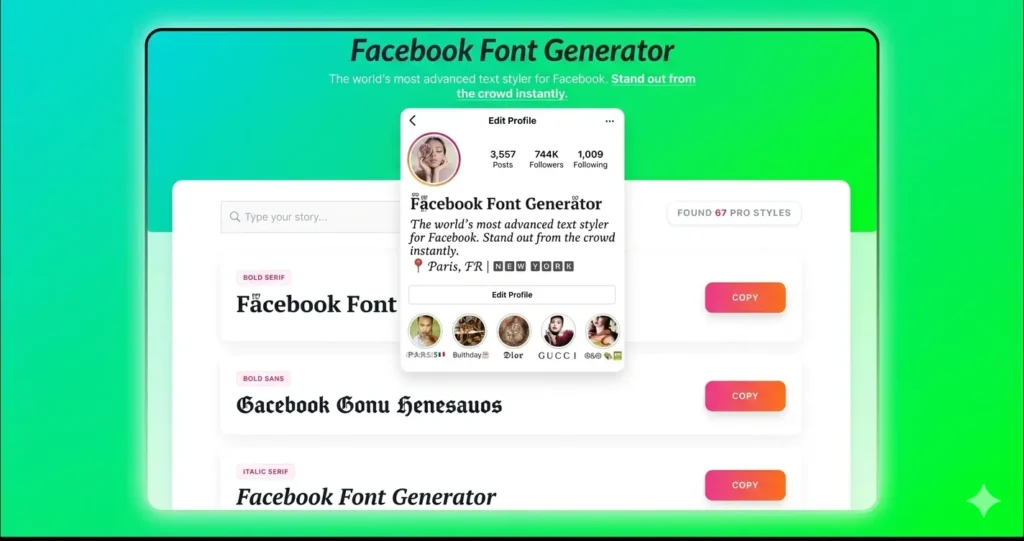
What Is a Facebook Font Generator
A Facebook font generator is an online tool that converts plain text into styled characters using Unicode symbols. These characters create different visual styles without changing the actual message.
The generator helps users customize social media content quickly. You do not need software, installation, or design skills. The process works through simple copy and paste.
Many users combine Facebook fonts with other style tools like a Tattoo Font Generator to test creative text designs before using them online.
What Are Facebook Fonts
Facebook fonts are text styles created from special Unicode characters. They change the appearance of letters to make content more noticeable.
These fonts include bold letters, cursive text, decorative symbols, and aesthetic styles. They allow users to express personality and highlight important messages.
Because the text uses Unicode characters, it works across different devices and platforms without losing formatting.
How to Use the Facebook Font Generator
How Facebook Font Generator Works
Type Text → Generator Converts Text → Copy Styled Text → Paste on Facebook
Using the generator takes only a few steps.
Step 1 — Type Your Text
Enter your message in the input box. The tool instantly generates multiple font styles.
Step 2 — Copy Your Favorite Style
Choose the style you like and copy the generated text.
Step 3 — Paste on Facebook
Paste the styled text into your Facebook bio, post, comment, or message. The appearance remains unchanged.
You can also paste the same text into Instagram, messaging apps, or other platforms that support Unicode characters.
How to Change Font on Facebook
Facebook does not provide built-in font customization. To change text style, you must use a font generator.
You can paste styled text in:
- profile bios
- posts
- comments
- group names
- messages
This works because Facebook supports Unicode characters rather than traditional font formatting.
How Copy and Paste Facebook Fonts Work
Font generators replace standard letters with Unicode symbols. Unicode assigns a unique code to each character, allowing different visual styles to appear as text.
Because these characters are part of a universal encoding system, they display consistently across browsers, devices, and platforms.
The same technology is used in tools like the Cursive Font Generator, which produces handwritten text styles using Unicode characters.
Benefits of Using Facebook Fonts
Stylish text improves how your content appears in crowded social feeds. It draws attention and helps users communicate identity.
Key advantages include:
- stronger visual appeal
- improved engagement
- personal expression
- brand identity support
Businesses also use styled text to highlight promotions or create consistent branding across platforms.
Popular Facebook Font Styles
Different styles create different visual impressions.
Bold Text
Bold styles highlight announcements or important information.
Italic Text
Italic styles emphasize quotes or specific words.
Cursive Text
Handwritten styles create an elegant look. You can generate these using the Cursive Font Generator.
Gothic Text
Gothic lettering creates strong visual impact. The Gothic Font Generator produces dramatic text designs.
Decorative and Aesthetic Fonts
Decorative styles create artistic or creative text for profile customization.
Where You Can Use Facebook Fonts
Facebook fonts work in many areas of the platform.
You can use them in:
- profile bios
- timeline posts
- comments
- group names
- business pages
The same styled text also works on Instagram, TikTok, WhatsApp, and other platforms.
Common Mistakes When Using Facebook Fonts
Common Mistakes When Using Facebook Fonts
- Using hard-to-read decorative styles
- Mixing too many fonts in one post
- Copying text from unreliable generators
- Using excessive symbols or characters
- Not testing how text appears on mobile devices
Why Unicode Fonts Work on Facebook
Unicode is a global standard for text encoding. It allows computers to display characters from different languages and symbol sets.Because font generators use Unicode symbols instead of formatting, Facebook treats styled text as regular characters. This ensures compatibility across platforms.
Tips for Choosing the Right Facebook Font
Choose fonts that remain readable. Decorative styles should not reduce clarity.
Match the font style to your message. Professional pages often use simple styles, while personal profiles can use creative designs.
Using one or two consistent styles improves visual balance.
Facebook Font Examples
Here are simple examples of styled text.
Bio Example
✦ 𝓣𝓻𝓪𝓿𝓮𝓵 | 𝓕𝓸𝓸𝓭 | 𝓛𝓲𝓯𝓮
Post Example
𝐍𝐞𝐰 𝐯𝐢𝐝𝐞𝐨 𝐨𝐮𝐭 𝐧𝐨𝐰
Profile Name Example
𝕬𝖑𝖊𝖝 𝕽𝖆𝖓
Users often preview multiple styles before selecting a final design. Some also test styles using tools like the Tattoo Font Generator to compare text appearance.
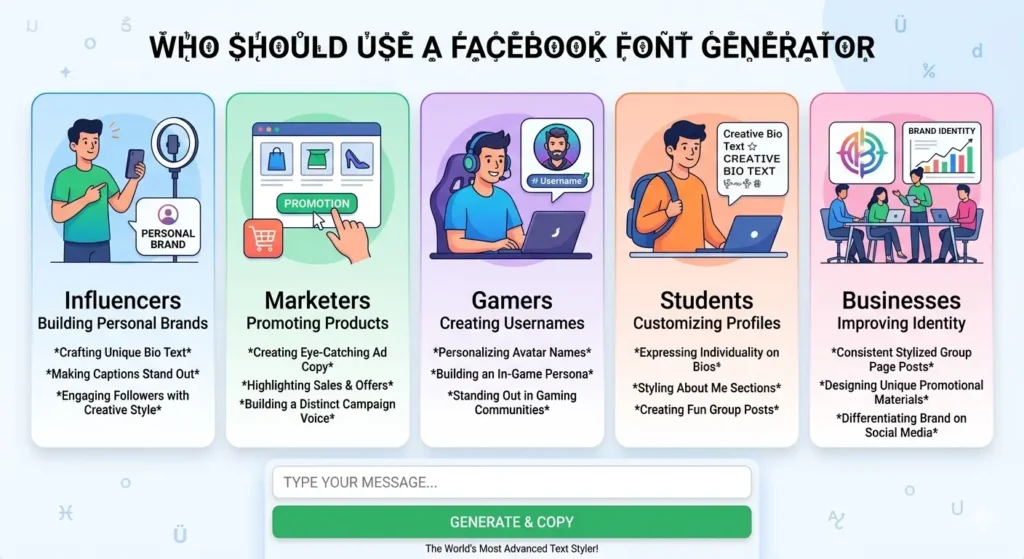
Who Should Use a Facebook Font Generator
Styled text tools help many types of users:
Frequently Asked Questions
From real use across different social platforms, Facebook font generators remain one of the easiest ways to improve profile appearance without technical effort. Unicode text keeps its style after copying and works across devices. Using readable styles and applying them carefully helps users create clearer communication, stronger identity, and better engagement.