
Twitter Font Generator
Unlock high-impact typography for your social presence. Our advanced Unicode engine generates unique, copy-and-pasteable styles to make your bio and posts stand out instantly.
Premium Variations
Table of Contents
Twitter/X Font Generator (Copy & Paste Stylish Twitter Fonts)
Most tweets on Twitter (now X) look exactly the same. Plain text. Same font. Nothing really stands out. You write something good, but it still disappears in the timeline. It can feel like your tweet never even had a chance.
Then you notice something different. A username written like 𝓽𝔀𝓲𝓽𝓽𝓮𝓻 or ᴛᴡɪᴛᴛᴇʀ suddenly catches your eye. It looks like they somehow changed the font on Twitter.
Naturally you think: wait… how did they do that?
The truth is simple. Twitter uses its own font called Chirp, and users cannot change it. What you are actually seeing are special Unicode characters. They just look like different fonts.
That is where a Twitter Font Generator helps. You type normal text, and it turns it into those Unicode styles. Then you copy and paste it into your Twitter/X bio, name, or tweets. Nothing to install. Just quick text that actually stands out.
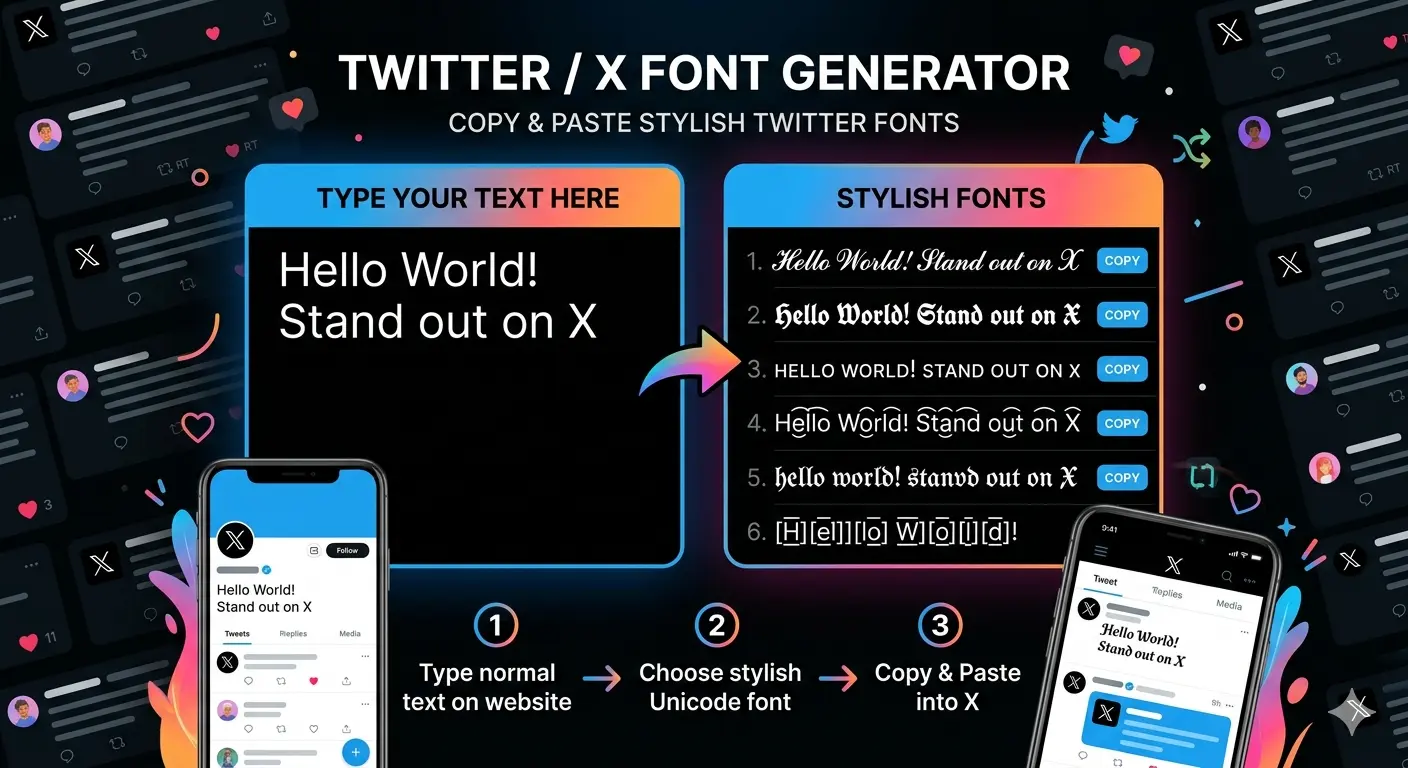
Enter your text
Type your tweet, username, or bio into the generator box above.
Browse generated font styles
The tool instantly creates dozens of variations using Unicode characters.
Copy and paste into Twitter
Click the copy button next to any style and paste it directly into your Twitter/X profile or tweet.
Because these styles rely on Unicode characters, they work across most modern devices and browsers.
Quick Copy Twitter Font Examples
If you want to test a few styles quickly, here are some ready-to-copy examples.These examples show how the same word can appear completely different using Unicode styling.
- Normal: Twitter
- Bold: 𝗧𝘄𝗶𝘁𝘁𝗲𝗿
- Script: 𝓣𝔀𝓲𝓽𝓽𝓮𝓻
- Aesthetic: 𝓉𝓌𝒾𝓉𝓉𝑒𝓇
- Small Caps: ᴛᴡɪᴛᴛᴇʀ
- Gothic: 𝕿𝖜𝖎𝖙𝖙𝖊𝖗
- Strikethrough: t̶w̶i̶t̶t̶e̶r̶
What a Twitter Font Generator Actually Does
A Twitter font generator is a simple tool that converts regular text into Unicode-based character styles.
Instead of installing new fonts, the generator replaces each letter with a visually similar Unicode character.
These characters are part of the Unicode standard, which contains thousands of symbols used across digital systems.
If you’re curious about how this system works, our guide on Unicode fonts explained explores the topic in more detail.
How Twitter Fonts Actually Work
Twitter’s interface uses its own typeface called Chirp, which was introduced in 2021 as part of the platform’s design update.
However, Chirp only controls the appearance of Twitter’s interface. Users cannot change it inside the platform.
Font generators work differently. Instead of modifying fonts, they use Unicode characters that visually resemble styled letters.
Because these characters are recognized across browsers and apps, they can be pasted into tweets, bios, and usernames without breaking formatting.
To understand the technical differences between typography terms, you can also read the difference between fonts, typefaces, and Unicode styles.
Popular Twitter Font Styles
| Font Style | Example | Best Use |
|---|---|---|
| Bold | 𝗧𝘄𝗶𝘁𝘁𝗲𝗿 | Thread titles and emphasis |
| Script | 𝓣𝔀𝓲𝓽𝓽𝓮𝓻 | Profile bios |
| Small Caps | ᴛᴡɪᴛᴛᴇʀ | Minimal usernames |
| Gothic | 𝕿𝖜𝖎𝖙𝖙𝖊𝖗 | Gaming profiles |
| Strikethrough | t̶w̶i̶t̶t̶e̶r̶ | Humor or edits |
| Aesthetic | 𝓉𝓌𝒾𝓉𝓉𝑒𝓇 | Creative bios |
Different styles create different moods depending on how you use them.Some creators prefer decorative styles like gothic lettering, while others use script text to give their profile a softer aesthetic.
Best Places to Use Stylish Twitter Fonts
- Twitter display name – helps your profile stand out in replies
- Twitter bio – adds personality to your profile
- Tweets – highlight important words
- Thread titles – attract attention
- Usernames – create a unique online identity
Once you generate your text, you can paste it in several places across Twitter/X.
Unicode text is not limited to Twitter. Many people also use similar styles in gaming communities or social platforms using tools like the Discord Font Generator or Facebook Font Generator.
Tips for Using Fancy Fonts on Twitter
Stylized text can make a Twitter profile more visually distinctive, but moderation matters.
Keep readability in mind
Some decorative styles look impressive but are difficult to read in long sentences.
Avoid overusing styles
Mixing too many fonts in one tweet can make text messy. Most creators use stylized fonts only for emphasis.
Match the tone of your profile
Minimal styles work well for professional accounts, while playful fonts are common in personal or creative profiles.
If you’re experimenting with text styles across different platforms, there are many creative ways to use fancy text online beyond just social media bios.
Why Some Twitter Fonts Look Different on Certain Devices
Most Unicode characters work across modern browsers and smartphones. However, some characters may appear slightly different depending on the device or operating system.
This can happen if
- the device does not support a specific Unicode character
- the app uses a different fallback font
- the operating system is outdated
If you’ve ever noticed this issue, our guide explaining why some fancy fonts don’t work on certain apps or devices covers it in more detail.
Stylish Twitter Fonts You Can Copy and Paste
Do You Need to Download Twitter Fonts?
No downloads are required.
Twitter font generators work entirely online because they convert text into Unicode characters already supported by modern systems.
The process is always the same:
- Type text
- Generate styled characters
- Copy and paste the result
Many creators also use the same technique for other platforms. If you’re working across multiple social networks, our guide on how to use online font generators for Instagram and TikTok explains how these tools work beyond Twitter.
A small change in typography can completely change how text feels on the screen. While most tweets use the same plain formatting, a subtle Unicode style can make a username, bio, or headline more noticeable in the timeline. That’s exactly what a Twitter font generator allows you to do turn ordinary text into something visually distinctive without changing the words themselves.