
Instagram Font Generator
Type your text below to generate 100+ fancy, copy-pastable fonts for your bio and captions.
Start typing to see the magic happen...
Instagram Font Generator- Updated for 2026 font trends

Most Instagram profiles don’t fail because of bad content — they fail because they look forgettable. You might be posting regularly, choosing good photos, even writing decent captions… but when someone lands on your profile, nothing visually grabs them. It just looks like everyone else. And in a place where attention lasts seconds, “normal” is the fastest way to get ignored.
This Instagram font generator fixes that exact problem — instantly. You can turn plain text into something that actually catches the eye, whether it’s your bio, captions, or comments. But more importantly, this page will show you which fonts work, where to use them, and how to make your profile feel intentional instead of random. Because standing out on Instagram isn’t luck — it’s small details done right.
Copy and Paste Instagram Fonts
Typing something on Instagram is easy, but getting noticed is not. Most profiles do not struggle because of bad content, they struggle because everything looks the same. From what we have seen, even small changes like using a clean bold or aesthetic font can immediately make a profile feel more intentional.
With this tool, you can turn plain text into stylish fonts in seconds. Just type your text, explore the styles, and copy what fits your vibe. No setup, no downloads, just quick results that you can test directly on your profile.
What Are Instagram Fonts?
Instagram fonts are not actually fonts you install. They are Unicode characters, a universal text system that lets us represent letters in different styles.
This is why they work across platforms like Instagram, TikTok, and Facebook without any extra steps. From our experience, this also explains why some fonts look slightly different depending on the device, since not every platform supports every Unicode variation perfectly.
If you want to understand this deeper, you can explore our guide on Unicode Fonts Explained.
How to Use the Instagram Font Generator
Using the tool is straightforward, but how you use the result makes the difference.
Enter Your Text
Start by typing something simple, your name, a short bio line, or a caption idea.
Choose a Font Style
As you scroll, you will notice some fonts look better than others depending on context. For example, bold styles stand out more in captions, while cursive fonts feel more natural in bios.
Copy and Paste
Click to copy and paste it directly into Instagram. We recommend testing a couple of styles before finalizing, small visual changes can have a bigger impact than expected.
How Does This Font Generator Work?
This tool converts your text into styled Unicode characters by replacing each letter with a visually different version.
From testing different styles, we have found that simpler fonts tend to work more consistently across platforms, while highly decorative ones may not display properly everywhere. That is why it is always a good idea to preview your text before using it in your bio or captions.
If you want a deeper breakdown, check our article on The Difference Between Fonts, Typefaces, and Unicode Styles.
Instagram Font Styles List (With Names)
Here are some common styles you can generate:
👉 For darker or edgy styles, explore our Gothic Font Generator.
👉 For artistic writing styles, try the Calligraphy Font Generator.
Bold, Cursive & Stylish Instagram Fonts
Different styles work better depending on how you use them:
- Bold fonts → Highlight important words
- Cursive fonts → Create an aesthetic feel
- Stylish fonts → Add personality to your profile
👉 You can experiment with multiple styles using our Fancy Text Generator to mix and match.
Instagram Bio Font Styles for Boys & Girls
Your bio is often the first thing people notice, and small styling choices can change how it feels.
From what we have observed
- Clean and minimal fonts make profiles look more professional
- Cursive styles add personality but should stay readable
- Overly decorative fonts can sometimes reduce clarity
If you are unsure where to start, you can explore examples in our guide on Best Stylish Fonts for Instagram Bio in 2026.
Can You Download Instagram Fonts?
No, and this is one of the most common misunderstandings.
These fonts are not files you can install. They are Unicode-based text that you copy and paste.
Also, not every font works perfectly on every device. If something does not display correctly, it is usually due to platform limitations, not the tool itself.
Popular Instagram Font Styles
Some styles consistently perform well:
These are commonly used in:
- Bios
- Captions
- Highlights
Where Can You Use These Fonts?
These fonts are not limited to Instagram.
You can use them on:
- TikTok
- Facebook → try our Facebook Font Generator
- Twitter (X) → use Twitter Font Generator
- Discord → check Discord Font Generator
Why Use Instagram Fonts?
Plain text is easy to scroll past.
Styled text, when used properly, can
- Catch attention faster
- Make your profile feel more intentional
- Help highlight important parts of your content
From our experience, the biggest difference is not using fancy fonts, it is using the right font in the right place.
Best Instagram Fonts for Bio, Captions & Comments
Not all fonts work the same everywhere.
From testing different use cases
- Bio: clean, readable fonts perform best
- Captions: bold styles help key phrases stand out
- Comments: slightly playful fonts attract attention
If you want more creative ideas, check out
25 Creative Ways to Use Fancy Text Online
Best Instagram Fonts for Different Uses
| Use Case | Best Font Style | Why It Works |
|---|---|---|
| Instagram Bio | Cursive / Small Caps | Clean, aesthetic, and easy to read |
| Captions | Bold / Stylish | Grabs attention while scrolling |
| Comments | Fun / Decorative | Helps your comment stand out |
| Usernames | Minimal / Unique Symbols | Makes your profile look different |
| Story Highlights | Simple Stylish Fonts | Keeps branding consistent |
Do Instagram Fonts Affect Engagement?
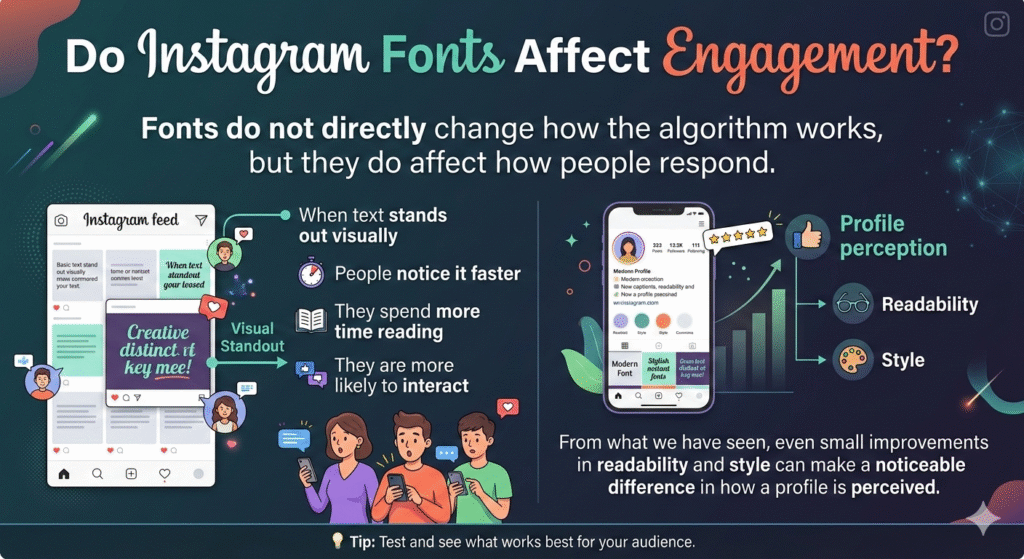
Fonts do not directly change how the algorithm works, but they do affect how people respond.
When text stands out visually
- People notice it faster
- They spend more time reading
- They are more likely to interact
From what we have seen, even small improvements in readability and style can make a noticeable difference in how a profile is perceived.
Tips to Make Your Instagram Bio Stand Out
- Keep it short and clear
- Use 1–2 font styles only
- Add spacing or symbols
- Focus on readability
👉 If you’re new to this, start with our beginner-friendly guide:
How to Use Online Font Generators for Instagram and TikTok
Instagram Font Do’s and Don’ts
Do:
- Use 1–2 font styles for a clean look
- Choose readable fonts for your bio
- Match font style with your profile theme
Don’t:
- Overuse too many different fonts
- Use hard-to-read decorative text in important sections
- Rely only on fonts — content still matters
Frequently Asked Questions (FAQs)
Instagram uses its default font, but you can use Unicode text to create styled versions.
Yes, they are just text characters, completely safe.
Some devices or apps don’t support certain Unicode characters.
Yes, they work across most social media platforms.
Conclusion
Most people focus on what they post on Instagram, but overlook how it actually looks and that’s often the difference between getting noticed and getting ignored. Small visual details, like the right font style, can quietly change how your profile is perceived in just a few seconds.
With this Instagram font generator, you’re not just copying stylish text you’re shaping how people see your profile, your content, and your identity online. Use it intentionally, keep it simple, and let your text do what plain words never could: make someone stop scrolling.