
Roblox Font Generator
Transform your bio and name with unique styles matching your personality.
What Is the Best Roblox Font Generator for Copy and Paste?
A Roblox font generator lets you turn normal text into stylish fonts that you can copy and paste directly into your username, bio, or chat. The best generator gives you fonts that actually work in Roblox — not just ones that look good.
If you’ve tried fancy text before, you’ve probably noticed that some fonts break or get filtered. That’s exactly why this tool exists — to help you generate clean, usable fonts without guessing. If you also use other tools on our site like a fancy text generator. You’ll notice this one is specifically optimized for Roblox compatibility.
We tested multiple font styles inside Roblox to make sure the ones shown here actually work without getting filtered.
Quick Picks: Best Roblox Fonts (Tested & Safe)
These are some of the most reliable and good-looking fonts you can use right away without worrying about them breaking.
👉 If you’re unsure what to pick, start with bold or italic styles — they almost always work.
How Does This Roblox Font Generator Work? (Instant Copy & Paste Tool)
Type your text, and the tool instantly converts it into multiple Roblox-ready font styles. You can copy any style with one click and paste it directly into Roblox.
Try the Tool
Enter Your Text:
👉 Type your username, bio, or message
Generated Fonts:
- 🔥 𝓕𝓪𝓷𝓬𝔂 𝓢𝓽𝔂𝓵𝓮 [Copy]
- ✨ 𝔊𝔬𝔱𝔥𝔦𝔠 𝔉𝔬𝔫𝔱 [Copy]
- 🎮 𝕲𝖆𝖒𝖊𝖗 𝕾𝖙𝖞𝖑𝖊 [Copy]
- 💫 𝒜𝑒𝓈𝓉𝒽𝑒𝓉𝒾𝒸 [Copy]
- ⚡ 𝐁𝐨𝐥𝐝 𝐓𝐞𝐱𝐭 [Copy]
Quick Tips:
- ✅ Click to copy instantly
- ⚠️ Avoid overly complex styles for usernames
- 📱 Works on both mobile and desktop
What Are the Best Roblox Fonts You Can Copy and Paste Right Now?
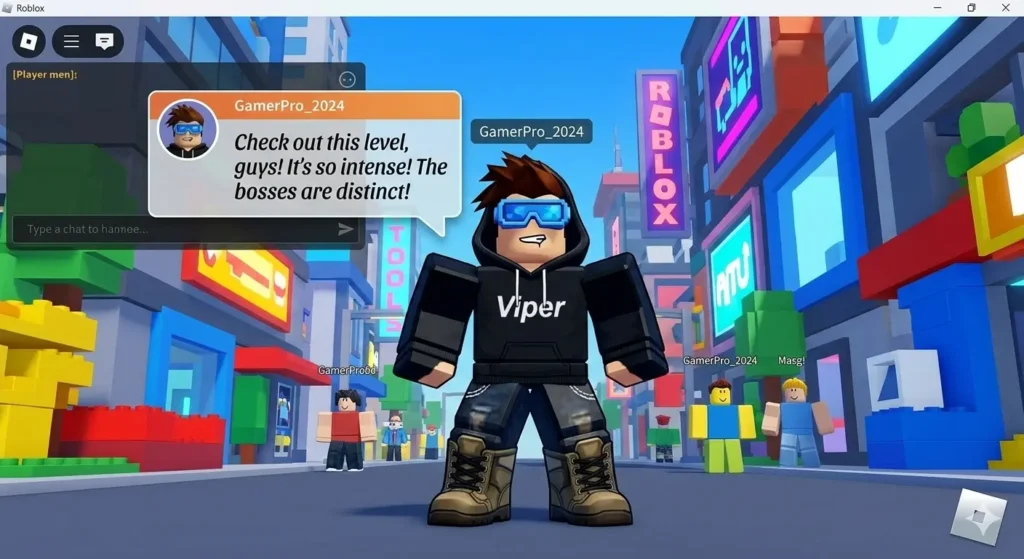
The best Roblox fonts are simple, readable, and supported by Roblox’s system. Clean styles usually perform better than overly decorative ones.
Here are some reliable styles you can use:
- ✅Clean Bold: 𝐍𝐚𝐦𝐞
- ✅Soft Italic: 𝘕𝘢𝘮𝘦
- ✅Modern Style: 𝙉𝙖𝙢𝙚
- ✅Aesthetic Script: 𝓃𝒶𝓂𝑒
- ✅Classic Gothic: 𝔫𝔞𝔪𝔢
If you’re exploring more styles, you can also try our Instagram font generator or cursive font generator to discover additional variations.
Roblox Fonts Comparison (Which One Should You Use?)
| Font Style | Best Use | Works in Username | Readability | Risk Level |
|---|---|---|---|---|
| 𝐁𝐨𝐥𝐝 | Usernames | ✅ Yes | ⭐⭐⭐⭐⭐ | Low |
| 𝘐𝘵𝘢𝘭𝘪𝘤 | Usernames / Bio | ✅ Yes | ⭐⭐⭐⭐ | Low |
| 𝓢𝓬𝓻𝓲𝓹𝓽 | Bio / Display | ⚠️ Sometimes | ⭐⭐⭐ | Medium |
| 𝔊𝔬𝔱𝔥𝔦𝔠 | Stylish Names | ⚠️ Sometimes | ⭐⭐⭐ | Medium |
| Glitch | Fun / Experimental | ❌ No | ⭐⭐ | High |
Which Roblox Fonts Work for Usernames Without Getting Filtered?
Fonts that use simple Unicode characters are more likely to work in Roblox usernames. Complex symbols or decorative characters often get blocked.
✅ Fonts That Usually Work:
- Bold (𝐀𝐁𝐂)
- Italic (𝘈𝘉𝘊)
- Clean Sans (𝖠𝖡𝖢)
⚠️ Fonts That May Not Work:
- Glitch or broken text
- Over-decorated styles
- Fonts with symbols or extra marks
A good rule: if it looks too complex, Roblox might reject it. Stick to clean styles for usernames.
What Are the Best Aesthetic Roblox Fonts for Bios and Display Names?
Aesthetic fonts are more decorative and are better suited for bios or display names where Roblox is less strict.
Popular aesthetic styles include:
Why Should You Use a Roblox Font Generator in the First Place?
A Roblox font generator helps you quickly create stylish text that actually works, without wasting time testing random fonts.
Here’s why it’s useful:
- ✅ Makes your username stand out instantly
- ✅ Reduces chances of Roblox filtering your text
- ✅ Lets you test multiple styles quickly
- ✅ Works directly in your browser
- ✅ No downloads or setup required
Instead of guessing which font works, you get ready-to-use options immediately.
Why Do Some Roblox Fonts Not Work or Show Incorrectly?
From testing different usernames in Roblox, bold and italic styles worked consistently, while decorative fonts often got filtered because Roblox only supports certain Unicode characters. Unsupported characters may break, disappear, or get filtered.
Here’s what causes issues:
- ✅Roblox has strict text filtering
- ✅Not all Unicode styles are supported
- ✅Some fonts render differently on devices
That’s why testing your text before finalizing it is important.
Can You Download Roblox Fonts or Use Custom Fonts in Roblox?
You cannot upload or install custom fonts in Roblox. The platform only supports text generated using Unicode characters.
That’s why tools like this generator are useful: they convert your text into formats Roblox can understand and display correctly.
What Is the Official Roblox Font and Has It Changed Over Time?
Roblox uses its own internal fonts for branding and interface, which are not available for public use in usernames or profiles.
Over time, Roblox has updated its visual style, but users still rely on Unicode-based fonts for customization.
How Do You Use a Roblox Font Generator Step by Step?
Using the tool is simple — just type, copy, and paste.
Enter your text
Browse generated fonts
Click copy on your favorite style
Paste it into Roblox
Test and confirm it works
Is This Roblox Font Generator Free to Use?
Yes, this Roblox font generator is completely free and works instantly in your browser.
You don’t need to:
- ✅Sign up
- ✅Download anything
- ✅Install any software
Just type your text and start using fonts right away.
Frequently Asked Questions About Roblox Fonts
No, only Unicode-based text styles are supported.
Because Roblox blocks unsupported or complex characters.
Yes, but some styles may appear slightly different.
Yes, as long as they use supported Unicode characters.
Finding a Roblox font that actually works can be frustrating, especially when half of the styles look good but fail in-game. The easiest way to avoid that is to stick with clean, tested fonts and try them before finalizing your username or bio. From experience, simpler styles not only work more consistently but also look better across devices. If you’re unsure, start with bold or italic options and adjust from there; it saves time and avoids unnecessary trial and error.