Why Some Fancy Fonts Don’t Work on Certain Apps or Devices
You pick a fancy font because it looks fun, stylish, or a little different. It looks great when you paste it… until it suddenly doesn’t. Maybe the app changes it back to something boring. Maybe it turns into weird boxes. In some cases, the font looks fine to you and completely wrong to everyone else. That quiet moment of doubt wondering if you caused it is more common than people admit.
What makes it worse is that there’s no mistake to fix. Fancy fonts don’t behave the way most people think fonts should. Some aren’t real fonts at all, some depend on special characters, and many apps quietly decide what they will or won’t display. Once you see how apps and devices make those decisions, the inconsistency stops feeling random and starts feeling predictable.
What People Usually Mean by “Fancy Fonts”
When most people say “fancy fonts,” they’re not talking about professional design fonts. They usually mean decorative text like cursive styles, bubble letters, symbols, or stylized characters created by font generator websites or apps.
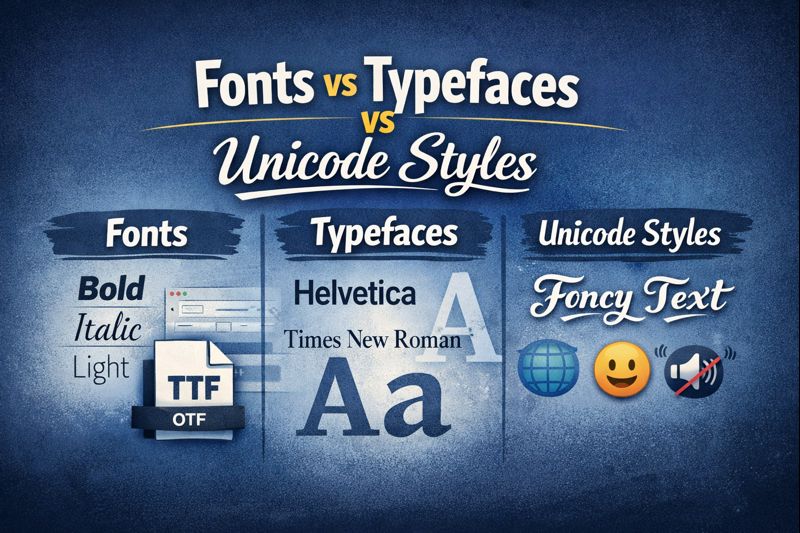
Many of these aren’t true fonts at all. They’re made using Unicode characters, which are special symbols that look like letters. They rely on the device or app knowing how to display those symbols. If it doesn’t, the text breaks or falls back to something basic.
The Big Reason: Apps Control Fonts, Not Your Device
A common misunderstanding is thinking your phone or computer controls fonts everywhere. In reality, each app decides what fonts it allows. Your device can suggest fonts, but apps don’t have to follow that suggestion.
Some apps lock their fonts on purpose to:
- Keep the design consistent
- Improve performance
- Avoid display bugs
- Prevent unreadable text
That’s why a fancy font might work in one app but not in another, even on the same phone.
Why Fancy Fonts Work on One Device but Not Another
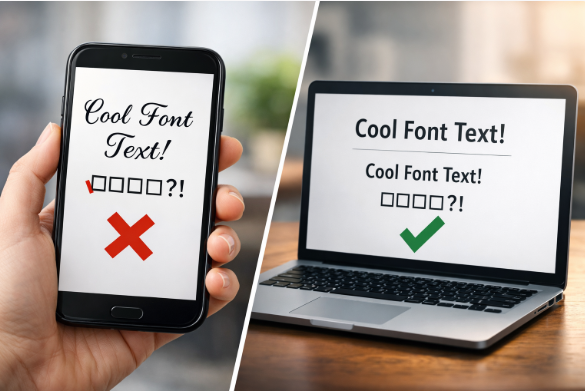
Different devices support different character sets. One phone might recognize a fancy Unicode symbol, while another doesn’t. When that happens, the unsupported device replaces the font with a default one or shows blank boxes.
This is especially common when:
- One person is on an older device
- Different operating systems are involved
- The font relies on rare or decorative characters
So when someone says, “It looks normal on my phone,” they’re probably right — their device just supports it better.
Mobile Apps Are More Restrictive Than Desktops
Fancy fonts usually work better on desktop computers than on mobile apps. That’s because desktop systems support more fonts and characters by default. Mobile apps are more limited and more strict about what they allow.
On phones, apps prioritize:
- Speed
- Stability
- Battery life
- Readability
Fancy fonts are often the first thing to be blocked when an app wants to stay fast and reliable.

System Fonts vs App Fonts vs Web Fonts
This is where most confusion comes from.
- System fonts are fonts your device uses by default
- App fonts are fonts built directly into an app
- Web fonts are loaded through websites
These three do not behave the same way. An app can ignore system fonts. A device can block web fonts. And fancy fonts often don’t qualify as real fonts in any category.
So when a font works in a browser but not inside an app, that’s expected behavior — not an error.
| Font Type | Where It Works Best | Reliability | Common Problems |
|---|---|---|---|
| System Fonts | Across most apps and devices | High | Limited style options |
| App Fonts | Inside specific apps | Very High | Cannot be changed by users |
| Fancy / Unicode Fonts | Some apps and devices | Low | Breaks, boxes, or font fallback |
Why Some Fonts Are Ignored on Purpose
Many apps intentionally block decorative or complex fonts because:
- They can break layouts
- They reduce readability
- They cause crashes on older devices
- They don’t support all languages
From an app developer’s perspective, allowing every fancy font is risky. Blocking them keeps the app stable for millions of users.
When Fancy Fonts Are Okay to Use
Fancy fonts can still work well in certain situations, like personal messages, short social media bios, static images, or decorative designs where consistency isn’t critical. They’re best used where readability and compatibility aren’t a priority.
Can You Fix Fancy Font Problems?
Sometimes, but not always.
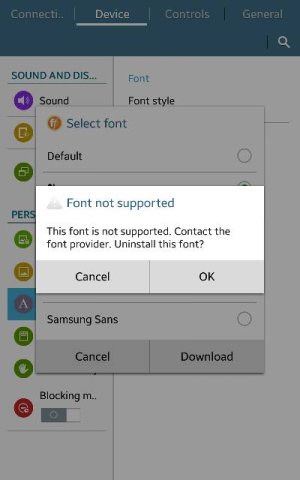
You usually can’t force an app to accept a fancy font if it wasn’t designed to support it. Switching devices, updating the app, or using a simpler font may help, but there’s no universal fix.
The safest fonts are:
- Standard system fonts
- Simple sans-serif styles
- Fonts built directly into the app or website
Fancy fonts are fun, but they’re fragile.
The Simple Truth About Fancy Fonts
Fancy fonts don’t fail because your phone is broken or because you did something wrong. They fail because apps, devices, and operating systems are built with limits — and decorative fonts sit right at the edge of those limits.
Frequently Asked Questions About Fancy Fonts
This happens when an app or device doesn’t support the characters used in the fancy font. Many decorative fonts rely on special Unicode symbols, and unsupported devices replace them with boxes or blank characters.
Different devices support different character sets. Your phone may recognize the font symbols, while another device or operating system does not, causing the font to change or disappear.
Many apps use built-in fonts and ignore system font settings on purpose. This helps them keep a consistent design, avoid layout issues, and maintain performance across devices.
Some are real fonts, but many are not. A lot of “fancy fonts” are actually standard letters replaced with Unicode symbols, which behave differently from true font files.
Neither platform guarantees full support. Both iPhone and Android apps restrict fonts in different ways, so fancy fonts can fail on either depending on the app and the font style used.
Once you understand that apps control fonts, not the other way around, fancy font behavior stops feeling random. Some fonts are just symbols, some devices don’t support them, and many apps block them on purpose. If consistency matters, simple fonts will always be more reliable and fancy ones will always be hit or miss.