WhatsApp Stylish Text Tricks (Copy, Paste & Hidden Formatting Guide)
Ever noticed someone sending cool-looking WhatsApp messages with stylish fonts or unique text and wondered how they did it? Most people think it’s some hidden feature or special app—but the truth is, WhatsApp has simple tricks (and a few smart workarounds) that can completely change how your messages look.
I’ve personally tested these tricks while chatting, updating statuses, and even setting bios—and honestly, once you start using them, normal text feels boring. In this guide, you’ll learn everything from basic formatting to stylish copy-paste text, including tricks most people still don’t know. If you want ready-made styles instantly, you can also try this fancy text generator to create unique fonts in seconds.
TL;DR (Quick Summary)
- Use symbols (*, _, ~, `) for formatting
- Stylish fonts come from Unicode (copy-paste tools)
- No native underline or color text
- Combine tricks + generators for best results
How to Format Text in WhatsApp (Basic Tricks)
These work on any phone—no extra app needed
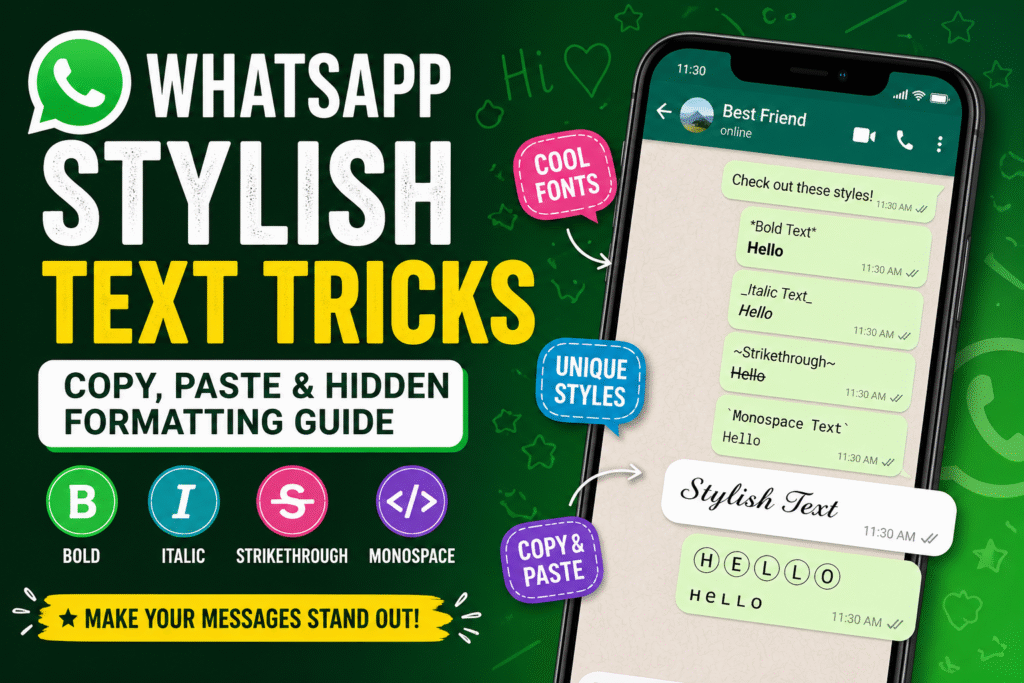
Bold Text
*text* → Hello
Italic Text
_text_ → Hello
Strikethrough Text
~text~ → Hello
Monospace Font
`text` → Hello
I’ve noticed monospace works best when you want your text to look clean and structured—especially for sharing code, links, or anything you don’t want WhatsApp to auto-format.
WhatsApp Text Style Codes (All Formatting Symbols Explained)
- *text* → Bold
- _text_ → Italic
- ~text~ → Strikethrough
- `text` → Monospace
If you want a deeper breakdown of how these styles actually work behind the scenes, check this guide on Unicode fonts explained.
| Feature | WhatsApp Formatting | Stylish Fonts (Unicode) | Third-Party Apps |
|---|---|---|---|
| Bold / Italic | ✅ Yes | ❌ No | ✅ Yes |
| Stylish Fonts | ❌ No | ✅ Yes | ✅ Yes |
| Underline Text | ❌ No | ⚠️ Limited | ✅ Yes |
| Color Text | ❌ No | ❌ No | ⚠️ Limited |
Combine WhatsApp Text Styles for Cool Effects
Examples:
- *_Hello_* → Hello
- ~*Hello*~ → Hello
Small tweaks like this can make messages stand out instantly.
Stylish Fonts for WhatsApp (Copy & Paste)
This is what most users are actually searching for.
These styles are created using Unicode, not WhatsApp itself. You can generate unlimited variations using tools like this Instagram font generator (works for WhatsApp too).
Why Stylish Text Works on WhatsApp
Stylish text works on WhatsApp because it uses Unicode characters instead of actual fonts. These are special text symbols that look different but are still readable by most devices.
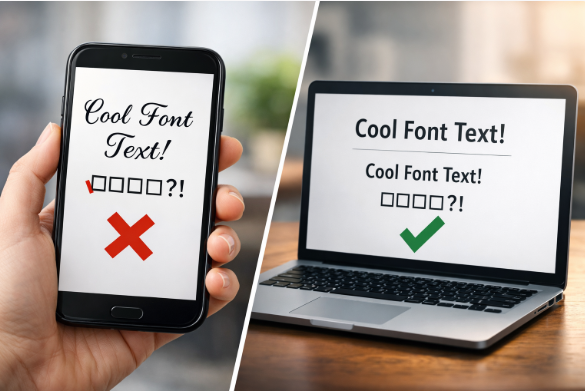
That’s why you can copy stylish text from a generator and paste it directly into WhatsApp without installing anything. However, not all Unicode styles are supported equally, which is why some fonts may appear broken on older phones.
If you want to understand this better, you can read this detailed guide on Unicode fonts explained.
Copy & Paste Stylish Text Examples
- 𝓗𝓮𝓵𝓵𝓸
- 𝙃𝙚𝙡𝙡𝙤
- 🅷🅴🅻🅻🅾
- ʜᴇʟʟᴏ
Just copy and paste into your chat.
WhatsApp Stylish Text Generator (How It Works)
- Converts normal text into Unicode symbols
- Displays like custom fonts
- Works across apps
If you want more creative ways to use these styles, explore these creative fancy text ideas.
From testing different generators, simpler font styles tend to display better across all devices, while overly decorative ones sometimes break or look inconsistent.
WhatsApp Small Text Trick (Hidden Feature)
How to Write Small Text
- Use Unicode small fonts
- Example: ʜᴇʟʟᴏ
Limitations
- May not display the same on all devices
Some styles fail on certain phones—here’s why: why fancy fonts don’t work on some devices.
Can You Underline or Color Text in WhatsApp?
Can You Underline Text?
No native support
Workarounds
- Use symbols
- Use Unicode styles
Can You Change Text Color?
Not possible natively
Many users confuse this with Instagram tricks—like this guide on colored text on Instagram.
How to Underline Text in WhatsApp (Android Guide)
Steps
- Use a font generator
- Convert text
- Copy and paste
You can try tools from this font generator collection.
Apps don’t actually add real underline formatting to WhatsApp. Instead, they generate special Unicode characters that look like underlined text, which is why results may vary across devices.
WhatsApp Stylish Bio & Status Ideas
Bio Examples
- Living my style
- Dream big
- Stay different
Want more bio-style fonts? Check: best stylish fonts for bio
Status Ideas
- “Stay real.”
- “No limits.”
- “Vibes only.”
Use Third-Party Apps & Tools for Stylish Text
Instead of apps, online tools are faster:
- Fancy text generators
- Cursive generators
- Gothic styles
Try:
- cursive font generator
- gothic font generator
Best Tips to Make Your WhatsApp Messages Look Unique
- Combine styles
- Keep it clean
- Use emojis wisely
- Don’t over-format
If you want platform-specific ideas (TikTok, Snapchat, etc.), explore the full blog section.
FAQs About WhatsApp Stylish Text
How do I get stylish text in WhatsApp?
Use a Unicode font generator and copy-paste.
Why is my WhatsApp font not changing?
Because WhatsApp only supports limited formatting.
Is stylish text safe?
Yes, if you use trusted tools.
Can I change font permanently?
No.
Does it work on all devices?
Mostly, but some fonts may not display correctly.
⚡ Quick Takeaways
- Use symbols like *, _, ~ for basic formatting
- Stylish fonts come from Unicode generators
- WhatsApp doesn’t support underline or color text
- Copy-paste styles work instantly across chats
- Mix styles for best visual impact
💡 Pro Tips for Better WhatsApp Messages
- Don’t overuse stylish fonts—keep it readable
- Combine bold + stylish text for emphasis
- Use short messages for better impact
- Test fonts before sending (some may not display correctly)
Conclusion
Once you start using these WhatsApp stylish text tricks, your messages naturally feel more expressive and personal. From simple formatting to creative font styles, the real difference comes from how you use them in everyday chats. I’ve found that even small changes—like a clean bio or a stylish message—can completely change how people respond to you.