ASCII vs Unicode vs UTF-8: What’s the Difference and Why It Matters in Modern Text Styling
If you’ve ever used a tool like font generator to create cool text for Instagram, Discord, or gaming profiles, you’ve already relied on systems like ASCII, Unicode, and UTF-8—without even realizing it. These technologies work behind the scenes to make sure your text, symbols, and emojis display correctly across different platforms.
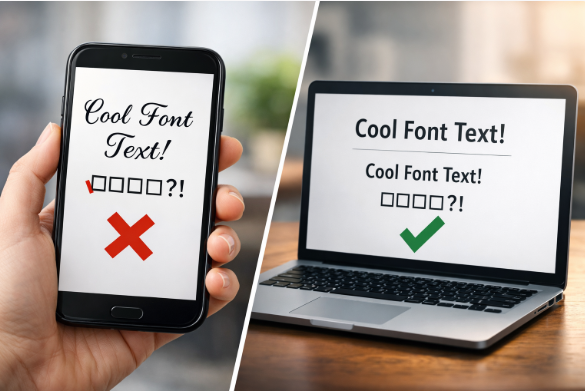
The confusion starts when people treat these terms as the same thing. They’re not. Understanding how they work together is the key to fixing broken text, using emojis properly, and even creating advanced styled text. If you’ve ever struggled with fonts not showing correctly or symbols appearing as boxes, this guide will finally make things clear.This is something many beginners struggle with when they first start working with text or web development.
What Is the Difference Between ASCII, Unicode, and UTF-8?
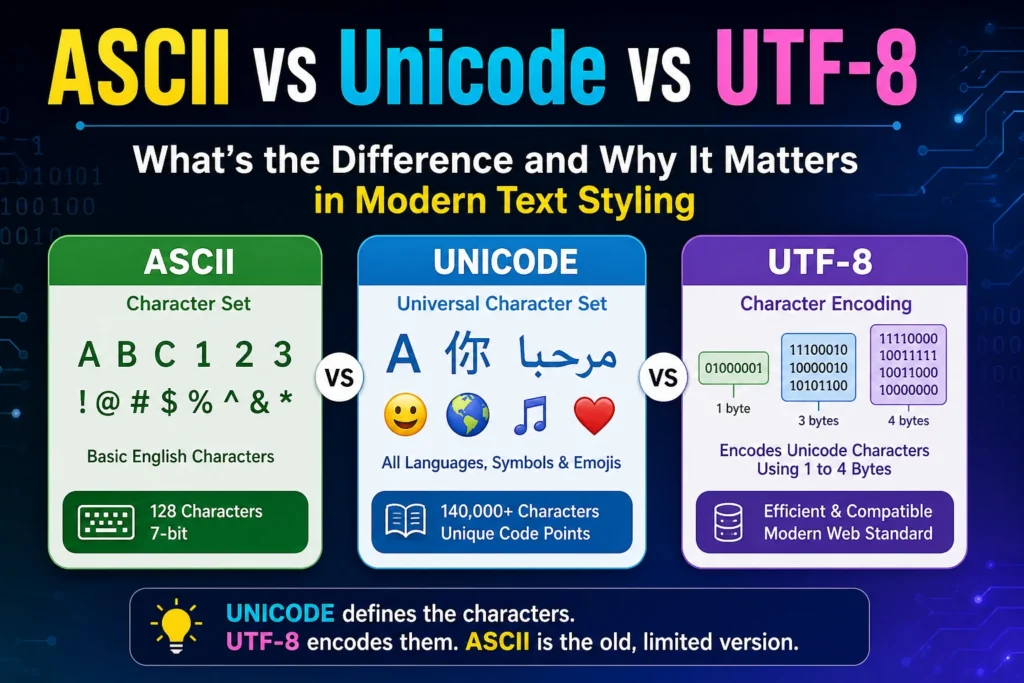
ASCII is a character set that supports 128 basic English characters. Unicode is a universal character set that includes over 140,000 characters from all languages and symbols. UTF-8 is an encoding system that stores Unicode characters efficiently using 1 to 4 bytes.
Quick Summary (TL;DR)
- ASCII → Basic English only
- Unicode → All languages + emojis
- UTF-8 → Stores Unicode efficiently
Easy memory tip:
Unicode = characters
UTF-8 = storage
ASCII = limited version
What Is the Difference Between ASCII, Unicode, and UTF-8?
ASCII is a character set that supports 128 basic English characters. Unicode is a universal character set that includes over 140,000 characters from all languages and symbols. UTF-8 is an encoding system that stores Unicode characters efficiently using 1 to 4 bytes.
What Is ASCII?
Definition of ASCII
ASCII (American Standard Code for Information Interchange) is one of the earliest systems used to represent text in computers.
ASCII Character Set (128 Characters)
It uses a 7-bit system, meaning it can represent only 128 characters, including:
- English letters (A–Z, a–z)
- Numbers (0–9)
- Basic symbols
Limitations of ASCII
ASCII works fine for simple English text, but it fails when you need:
- Emojis
- Special symbols
- Non-English languages
What Is Unicode?
Definition of Unicode
Unicode is a universal character set designed to represent text from all languages and symbol systems.
Unicode Character Set Explained
Unicode includes:
- 140,000+ characters
- Emojis
- Scripts like Arabic, Chinese, Hindi
Unicode Code Points (U+XXXX)
Each character has a unique code point, such as:
- A → U+0041
- 😊 → U+1F60A
What Is UTF-8 Encoding?
Definition of UTF-8
UTF-8 is a character encoding system used to store Unicode characters in binary.
How UTF-8 Works (1–4 Bytes)
UTF-8 uses:
- 1 byte for simple characters
- Up to 4 bytes for complex characters like emojis
UTF-8 Compatibility with ASCII
UTF-8 is backward compatible with ASCII, meaning older text still works perfectly.
ASCII vs Unicode vs UTF-8 (Key Differences)
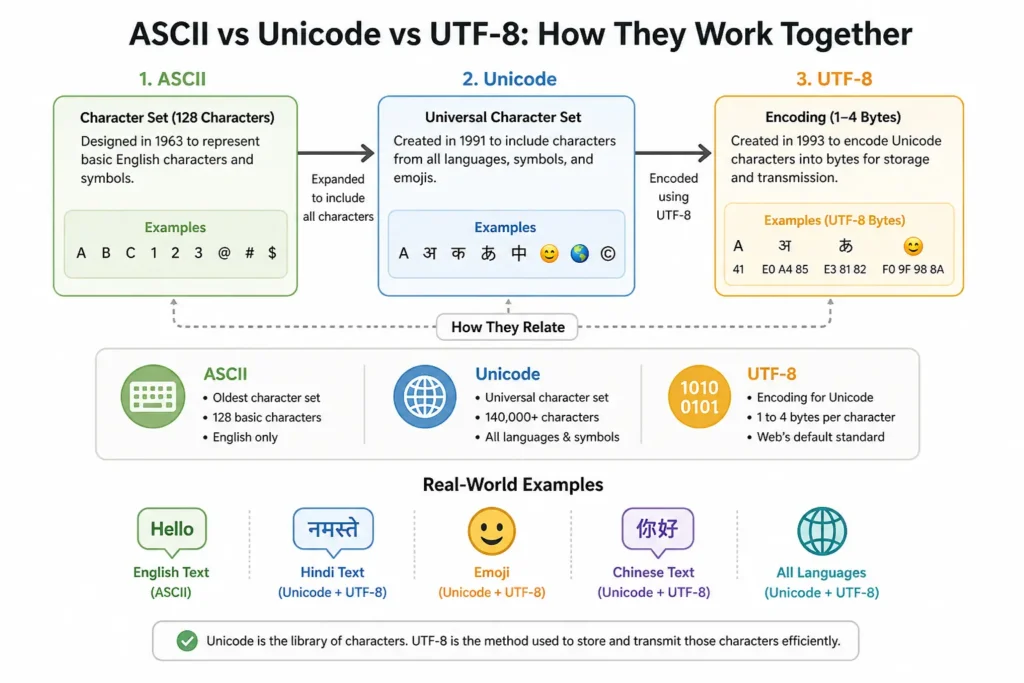
Diagram showing how ASCII, Unicode, and UTF-8 work together: Unicode defines characters, while UTF-8 encodes them for storage and transmission.
Character Set vs Encoding
- ASCII → Character set
- Unicode → Character set
- UTF-8 → Encoding
Simple analogy:
- Unicode = dictionary
- UTF-8 = how it’s stored
Storage Size Comparison
- ASCII → Fixed (1 byte)
- UTF-8 → Variable (1–4 bytes)
- Unicode → Defines characters only
Language Support Comparison
- ASCII → English only
- Unicode → All languages
- UTF-8 → Supports Unicode globally
Why UTF-8 Is Used in Modern Websites
UTF-8 and Web Browsers
Most modern websites use UTF-8 because it supports all languages and prevents display issues.
UTF-8 and HTML
HTML5 uses UTF-8 by default:
Role of ASCII, Unicode, and UTF-8 in Text Styling
How Encoding Affects Text Display
When you create styled text using tools from the font generator blog, Unicode characters are used to visually transform text.
Real-World Example
When you use a fancy text generator, you’re not changing fonts. You’re converting normal text into Unicode symbols that look styled but still work across all platforms.
If encoding fails:
- Text breaks
- Symbols disappear
- Fonts don’t render correctly
Unicode and Emojis
Unicode powers emojis and modern text styles.
Tools like:
work because of Unicode compatibility.
Fonts, Symbols, and Multilingual Styling
Unicode allows creative text styles such as:
These are not real fonts—they are styled Unicode characters.
Real-World Examples of Encoding
Example: English Text (ASCII)
Simple text like “Hello” works in ASCII.
Example: Emoji (Unicode + UTF-8)
Emoji like 😊 require Unicode and UTF-8 together.
Example: Social Media Text Styling
Styled text tools include:
Common Confusion Explained (Unicode vs UTF-8)
Is Unicode the Same as UTF-8?
No. Unicode defines characters, UTF-8 encodes them.
Why People Get Confused
They are used together in most systems.
Pros and Cons of ASCII, Unicode, and UTF-8
Advantages of UTF-8
- Universal compatibility
- Efficient storage
- Web standard
When ASCII Is Still Used
- Legacy systems
- Basic applications
Key Takeaways
- ASCII is outdated and limited
- Unicode supports all modern text and emojis
- UTF-8 is the most widely used encoding
- Text styling tools rely on Unicode
- Encoding affects how text displays
Conclusion
If you’ve ever dealt with broken text or weird symbols, understanding these three can save you hours of frustration. Whether you’re using font generators, emojis, or multilingual text, these systems are the foundation of how modern digital text works.
Explore More Font Tools
Want to create stylish text for social media and games?
Visit Font Generator Homepage