How to Do Glitch Text on TikTok (Step-by-Step Guide)
Most people discover glitch text on TikTok when they see a caption that looks broken, distorted, or “hacked.” It instantly grabs attention, which is exactly why creators use it.
But when you try to do it yourself, TikTok doesn’t have any built-in option — and that’s where most people get stuck.
I’ve tested this across captions, bios, and comments, and the truth is: it’s actually very simple once you know the trick.
Quick Takeaways
- Fastest way: Use a glitch text generator and copy-paste
- Best method: Use light glitch for readability
- Biggest mistake: Overusing glitch text
Fastest Way: Copy-Paste Glitch Text
This is the easiest method and works for almost everyone.
- Search “glitch text generator”
- Type your text (example: follow me)
- Copy the glitched version
- Paste into TikTok (caption, bio, or comment)
Done — your text will instantly look glitched.
Method 1: Use Glitch Text Generators
These tools automatically create glitch text.
- Enter your text
- Adjust intensity (if available)
- Copy and paste into TikTok
Pro tip: Use light glitch for better readability.
Method 2: Use Apps
Mobile apps give you more control over styling.
- Add glitch effects to video text
- Design visually instead of copy-paste
Best for:
- Video overlays
- Aesthetic edits
Downside: Takes more time.
Method 3: Manual Method
Glitch text uses special Unicode characters layered around letters.
- Normal text = clean
- Glitch text = symbols added
This makes the text appear distorted or “broken.”
Best Methods to Create Glitch Text
| Method | Difficulty | Speed | Best For | Limitations |
|---|---|---|---|---|
| Copy-Paste Generator | Easy | Very Fast | Beginners | Limited control |
| Mobile Apps | Medium | Moderate | Creative edits | Time-consuming |
| Manual Method | Hard | Slow | Advanced users | Complex |
How to Add Glitch Text in TikTok
- Captions: Paste before posting
- Bio: Edit profile → paste text
- Comments: Paste like normal
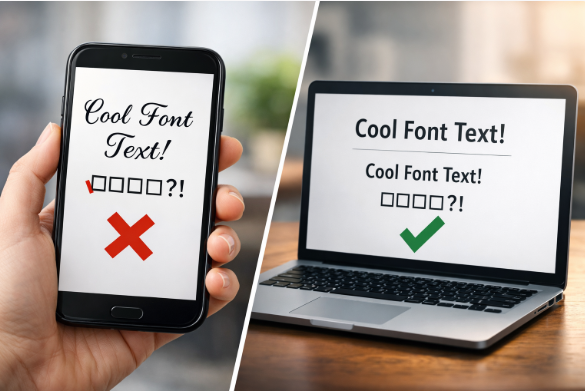
Note: Some devices may not display heavy glitch text properly.
Best Practices
- Keep it readable
- Use it for hooks
- Don’t overuse it
Does Glitch Text Improve Engagement?
Helps when:
- Used in short captions
- Used for attention
Hurts when:
- Text is unreadable
- Overused
Think of it as a highlight tool, not your main style.
Common Problems (And Fixes)
Glitch text not showing properly
Use lighter glitch styles for better compatibility.
Text looks unreadable
Reduce glitch intensity to keep it clear.
Doesn’t work in bio
Try a different generator or simpler version.
FAQs
Is glitch text safe to use?
Yes, it uses Unicode characters and is completely safe.
Why does glitch text look broken?
Because it overlays special characters on letters.
Can everyone see glitch text?
Mostly yes, but heavy styles may not display properly on all devices.
Key Takeaways
- Glitch text is easy using generators
- Light glitch performs better than heavy
- Best used for hooks, not full captions
- Keep readability as your top priority